MacBook Air 13-inch (M5) vs MacBook Pro 14-inch (M5)
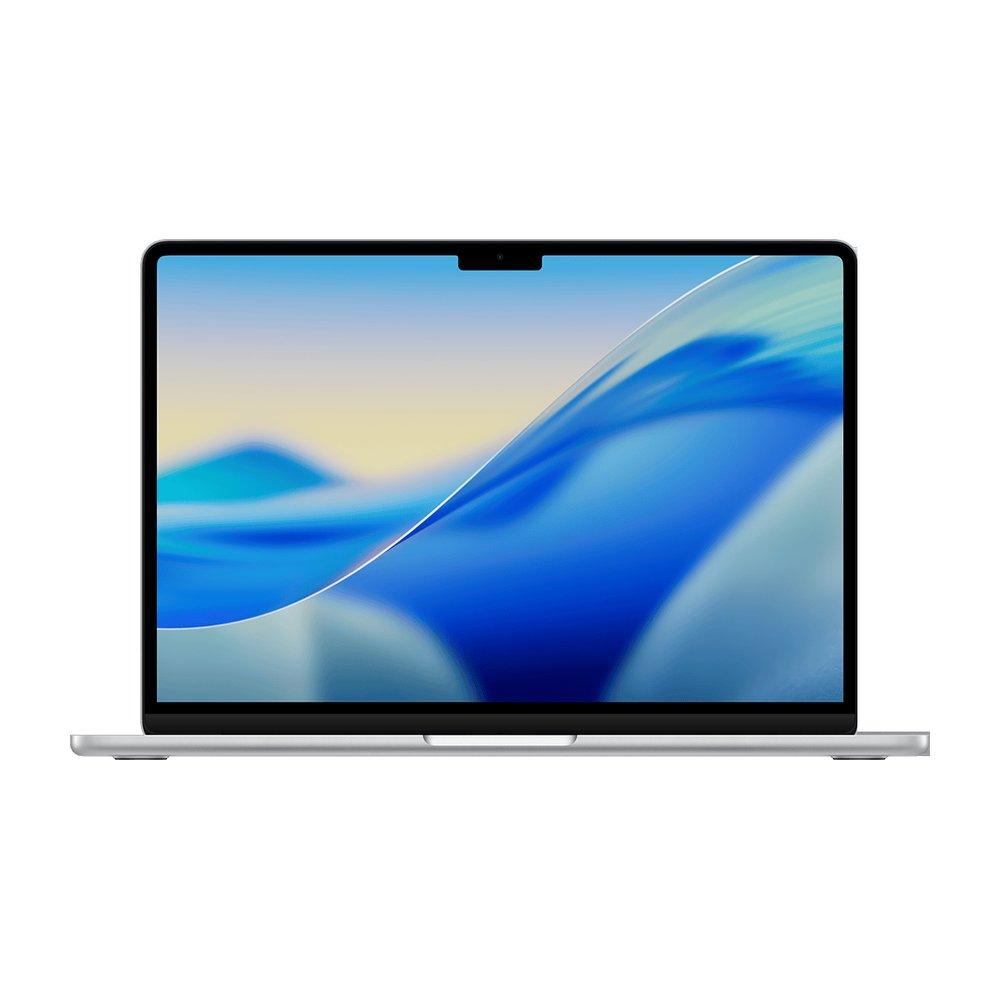
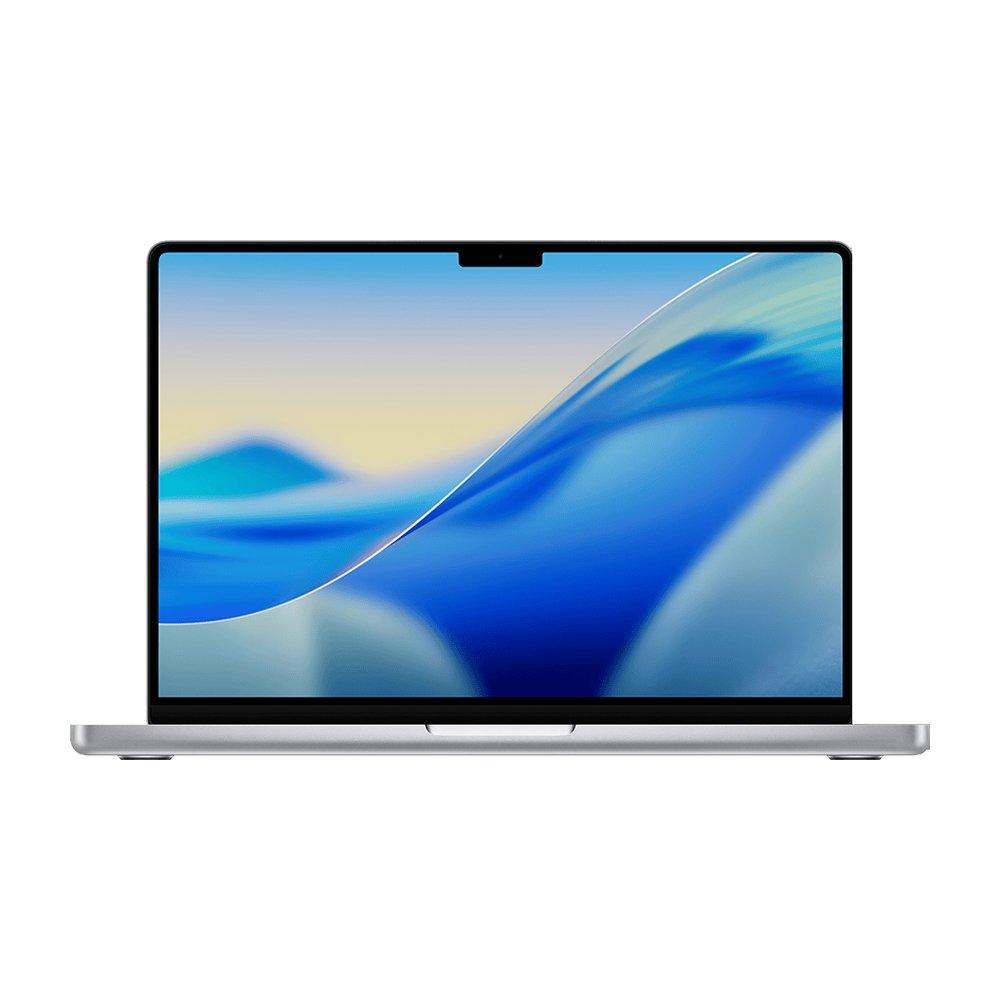
This is the classic Air-or-Pro call. The MacBook Air 13-inch (M5) is the lighter, silent, fanless machine that handles everyday work, coding and light creative tasks beautifully. The MacBook Pro 14-inch (M5), for about $351 more, adds a brighter XDR ProMotion display, active cooling for sustained heavy loads and more ports. If you push long exports, renders, large local AI or many external displays, the Pro earns it; if not, the Air is the smarter buy.
Same machine at heart. Pick the MacBook Air 13-inch (M5) and MacBook Pro 14-inch (M5) on screen size and weight, not peak performance.
Which is right for you
- You want to spend less: it starts about $351 cheaper.
- You carry it daily: it is lighter and more compact.
- You value silence and lightness over sustained peak speed: it runs fanless and cool.
- You want more screen: a 14.2-inch display gives more room for windows and timelines.
- You edit photo or HDR video: the XDR ProMotion display is brighter and smoother.
- You push long, heavy tasks: it sustains higher clocks under prolonged load.
- You connect to displays, cameras or docks: it has the wider set of ports.
How they differ, point by point
Each dimension lined up, with the edge marked where there is one. A check is not a blanket win; it is the better fit for that one thing.
| Dimension | MacBook Air 13-inch (M5) | MacBook Pro 14-inch (M5) |
|---|---|---|
| Performance EvenBoth run the M5. At a matched configuration they perform the same; any real gap comes from cooling under sustained load or the exact GPU and memory you pick, not the chip. | 10-core CPU (4 super + 6 efficiency) | 10-core CPU (4 super + 6 efficiency) |
| Sustained performanceThe MacBook Pro 14-inch (M5) has a fan, so it holds peak speed through long exports, renders and compiles; the fanless model is silent and just as fast in bursts but eases off after roughly 10 to 15 minutes of continuous full load. For browsing, office work and coding, most buyers never hit that ceiling. | Fanless | Active cooling |
| DisplayThe MacBook Pro 14-inch (M5) has a Liquid Retina XDR (mini-LED) panel with ProMotion up to 120Hz, brighter for HDR and smoother for scrolling and pro video than a standard Liquid Retina display. Creators and anyone editing HDR will notice; for text and web it matters less. | 13.6" · 60Hz | 14.2" XDR · 120Hz |
| PortabilityThe MacBook Air 13-inch (M5) is 0.7 lb lighter and easier to carry daily; the MacBook Pro 14-inch (M5) trades that for more screen. If it lives on a desk, weight barely matters; if it commutes, it does. | 2.7 lb · 13.6" | 3.4 lb · 14.2" |
| Max memory EvenBoth configure to the same 32GB of unified memory, which is not upgradeable later, so pick the right amount up front. | 32GB | 32GB |
| BatteryApple rates the MacBook Pro 14-inch (M5) for up to 24 hours versus 18, on their video-playback test; real all-day use tracks the same order. | Up to 18h | Up to 24h |
| PortsThe MacBook Pro 14-inch (M5) has the wider connectivity (HDMI and an SDXC card slot, 3 Thunderbolt ports to 2). If you plug into displays, cameras or docks often, that means fewer dongles. | Thunderbolt 4, MagSafe 3, 3.5mm headphone jack | Thunderbolt 4, HDMI, SDXC card slot, MagSafe 3, 3.5mm headphone jack |
| Price fromThe MacBook Air 13-inch (M5) starts about $351 less. The question is whether the MacBook Pro 14-inch (M5)'s XDR display and wider I/O are worth that gap for how you actually work. | $1,099 | ~$1,450 |
Is now a good time to buy each?
The same buy-now-or-wait read we run on every model, for both sides at once, from the tracked price and Apple's refresh cadence.
The MacBook Air 13-inch (M5) is the current generation (M5, 2026). Apple announced the M6 chip on August 25, 2026, in the Mac mini, and Bloomberg's Mark Gurman reports an M6 MacBook Air for early 2027, likely March, as a chip update in the current design. Apple had not announced the M6 MacBook Air as of Oct 28, 2026. That is months away, so buying now still gets you the newest MacBook Air chip. We have tracked the cheapest offer's price since Nov 14, 2026; check back as the record builds for a firmer buy or wait call.
M6 MacBook Air: what Apple has announced and what is reported
- Cheapest tracked
- $1,049 at iPowerResale
- Tracked low
- $1,049
- Condition
- Refurbished
- Successor (reported)
- M6 MacBook Air, early 2027, likely March
- Generation
- Current
Price tracked since Nov 14, 2026. Judged from the tracked price, Apple's refresh cadence and any announced or reported successor. How we judge this.
The MacBook Pro 14-inch (M5) is a previous-generation MacBook Pro (M5, 2025), superseded by the MacBook Pro 14-inch (M6). Previous-generation MacBooks typically see steady discounts and strong certified-refurbished supply, which is what makes them the value pick when the newest chip's gains are not essential. The cheapest tracked offer, $1,450 at Computer Overhauls, is at or near its lowest since Nov 13, 2026.
- Cheapest tracked
- $1,450 at Computer Overhauls
- Tracked low
- $1,450
- Tracked high
- $1,650
- Last drop
- Nov 25, 2026
- Condition
- Refurbished
- Generation
- Previous
Price tracked since Nov 13, 2026. Judged from the tracked price, Apple's refresh cadence and any announced or reported successor. How we judge this.
Full specifications, side by side
Every spec lined up. Highlighted rows are where the two differ, and each figure links to a reference showing every MacBook that shares it.
| Spec | MacBook Air 13-inch (M5) | MacBook Pro 14-inch (M5) |
|---|---|---|
| Price from | $1,099 | ~$1,450 |
| Chip | M5 | M5 |
| CPU | 10-core CPU (4 super + 6 efficiency) | 10-core CPU (4 super + 6 efficiency) |
| GPU | 8–10-core GPU | 10-core GPU |
| Neural Engine | 16-core | 16-core |
| Memory | 16–32GB | 16–32GB |
| Storage | 512GB–4TB | 512GB–4TB |
| Display | 13.6-inch Liquid Retina (LED-backlit IPS) | 14.2-inch Liquid Retina XDR (mini-LED) |
| Resolution | 2560 × 1664 (224 ppi) | 3024 × 1964 (254 ppi) |
| Brightness | 500 nits | 1000 nits (1600 peak HDR) |
| Refresh | 60Hz | ProMotion, up to 120Hz |
| Ports | 2× Thunderbolt 4, MagSafe 3, 3.5mm headphone jack | 3× Thunderbolt 4, HDMI, SDXC card slot, MagSafe 3, 3.5mm headphone jack |
| Wireless | Wi-Fi 7, Bluetooth 6 | Wi-Fi 6E, Bluetooth 5.3 |
| Weight | 2.7 lb | 3.4 lb |
| Battery | Up to 18 hours | Up to 24 hours |
| Released | 2026 | 2025 |
In depth
Same M5 chip, two very different machines. What the Pro premium actually buys.
The base MacBook Air and the base MacBook Pro 14 run the identical M5 chip, so bursty everyday speed (web, office, code, light photo, Zoom) is the same. The $700 gap at list today (the Air 13 from $1,299, the base Pro 14 from $1,999, the price the M6 kept when it replaced the M5 on October 27, 2026) does not buy a faster chip. It buys active cooling for sustained work, the Liquid Retina XDR mini-LED ProMotion 120Hz display, a third Thunderbolt port plus HDMI and SDXC, a larger battery and better speakers. Note that all of that comes with the plain M5 on the base Pro 14, so you never need the pricier M5 Pro chip just to get the screen or the ports.
The fanless Air throttles only under roughly 10 to 15 minutes of continuous full load, such as long exports or sustained rendering. For everyday and bursty work it holds full M5 speed and feels identical to the Pro. Where the Pro genuinely pulls ahead is sustained load: with a fan it holds higher clocks for roughly 15 to 25 percent more sustained multi-core and up to about 40 percent more sustained GPU. Battery, counterintuitively, goes up with the Pro, not down: the Pro 14 is rated about 24 hours versus the Air's 18, because it carries a larger cell. The Air's real advantages are weight (2.7 lb) and permanent silence, not runtime.
For most people, the smarter move is the Air with more memory: put the difference into 24 or 32GB of RAM and a bigger SSD, which for everyday and even light creative work beats the entire Air-to-Pro jump. Step up to the Pro 14 if you run sustained heavy loads (long 4K exports, 3D renders, extended compiles, sustained local AI, gaming), or if you specifically want the HDR and 120Hz display, HDMI, SDXC or the third port. One config note: the base Air 13 can ship with an 8-core GPU, while the Pro 14 is always 10-core, so compare like for like.
MacBook Air 13-inch (M5) vs MacBook Pro 14-inch (M5): common questions
- What is the main difference between the MacBook Air 13-inch (M5) and the MacBook Pro 14-inch (M5)?
- They share the M5, so bursty everyday speed is the same. The MacBook Pro 14-inch (M5) adds active cooling for sustained work, its display and ports, and a larger battery. See the breakdown above.
- Is the MacBook Pro 14-inch (M5) worth the extra $351 over the MacBook Air 13-inch (M5)?
- It is worth it if you regularly run sustained heavy tasks (long exports, 3D, compiling, sustained local AI), or want the brighter XDR display and the extra ports. For everyday use (web, office, coding, streaming) the MacBook Air 13-inch (M5) does the same job for less.
- Do I really need the Pro, or is the Air enough?
- Most people are well served by the Air: it is fast, silent and lighter. Choose the Pro only if you push long, sustained workloads, want the brighter XDR ProMotion display, need the extra ports.
- Which is cheaper, the MacBook Air 13-inch (M5) or the MacBook Pro 14-inch (M5)?
- MacBook Air 13-inch (M5) starts at $1,099 and MacBook Pro 14-inch (M5) starts around $1,450 across the offers we track. Prices move, so confirm live at the seller.
- Is the MacBook Pro 14 faster than the Air with the same M5 chip?
- In bursty tasks they are the same, because the chip is identical. The Pro only pulls ahead under sustained heavy load, where its fan lets the M5 hold higher clocks for roughly 15 to 25 percent more sustained multi-core and up to about 40 percent more sustained GPU.
- Does the fanless MacBook Air throttle?
- Only under roughly 10 to 15 minutes of continuous full load, such as long exports, rendering or sustained gaming. For everyday and bursty work it holds full M5 speed and feels identical to the Pro.
- Do I need the M5 Pro chip to get the ProMotion XDR screen?
- No. The base Pro 14 with the plain M5 already has the XDR mini-LED ProMotion 120Hz display, active cooling, HDMI, SDXC and a third Thunderbolt port. The M5 Pro and Max chips add sustained CPU and GPU muscle, not the screen or the ports.
Related comparisons
See every MacBook comparison or browse all MacBook prices.